Apps (Coming Soon) 15 / 32
Setup & Customizations
Learn about the Authentication Setup and Customization page.
The Setup Page
DevDojo Auth comes with a simple setup page to help you customize your authentication.
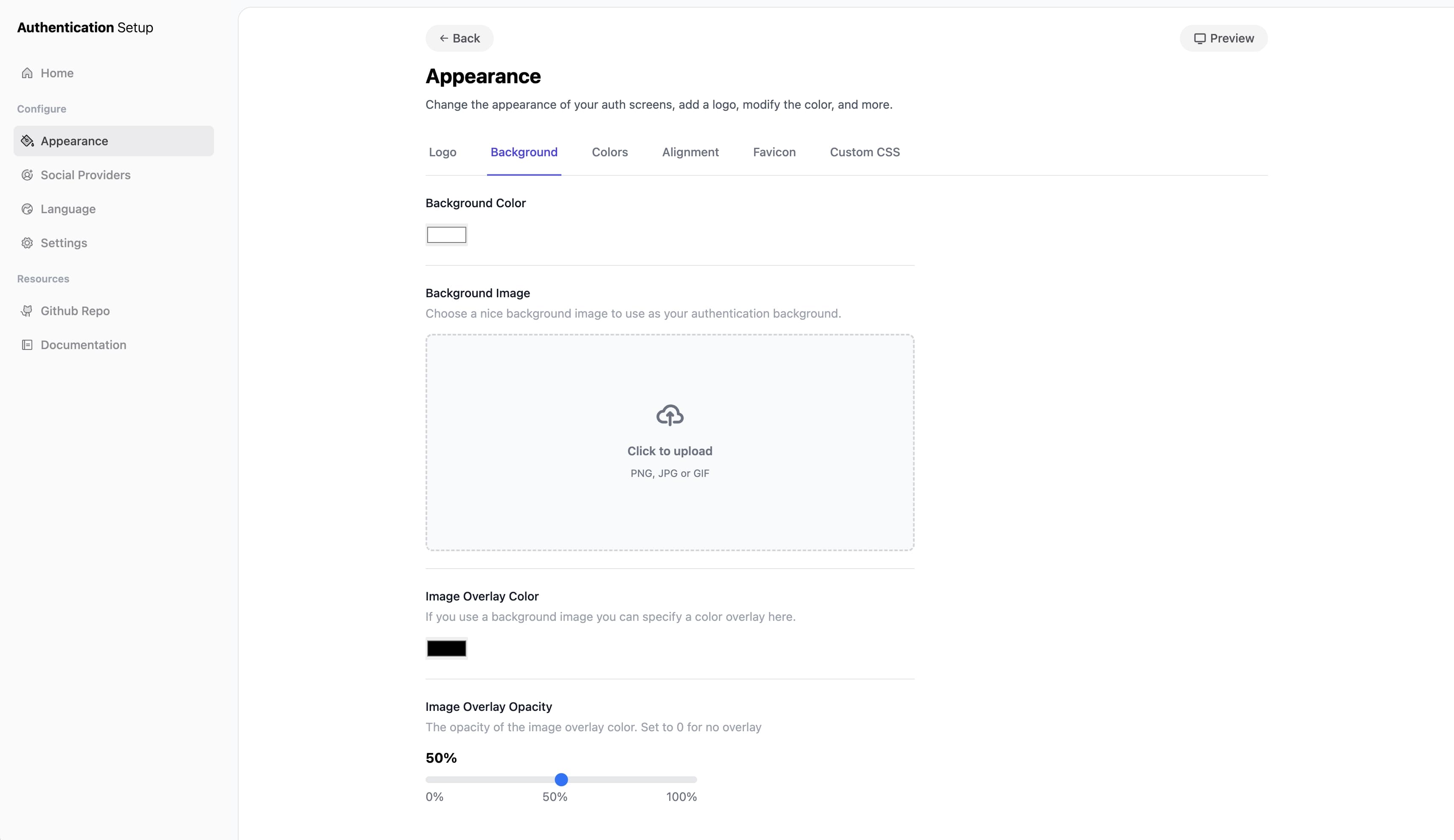
You can view this page by visiting the /auth/setup route of your application.
About Setup
This setup page allows you to customize/configure the following aspects of your authentication:
- Appearance — Modify the logo, background, colors, and more.
- Social Providers — Enable/disable the authenticatable social providers.
- Language — Change/modify the language copy throughout your authentication.
- Settings — Common settings functionality for your authentication.
We go deeper into a few of these sections further in the documentation.
How Does It Work
The setup page essentially adds and modifies the configuration files located at config/devdojo/auth. In this folder you will see configuration files that correspond to each section in the setup page. Whenever you make a modification in your setup it will automatically be written to the config. A little more about configs.
Authorization
If your application environment is local, the /auth/setup route can be accessed. Alternatively, if you are on production and you want to access the Auth Setup, you can add the following authorization gate to the boot() method inside your AppServiceProvider:
use Illuminate\Support\Facades\Gate;

Gate::define('viewAuthSetup', function (\DevDojo\Auth\Models\User $user) {
    return in_array($user->email, [
        '[email protected]',
    ]);
});
Note: You may want to be cautious about making customizations and changes to your authentication when you are in a production environment. If you make changes, it will update the
config/devdojo/authfiles, which will then need to be submitted to version control to prevent any conflicts and keep the code in sync.