Open Source 26 / 34
Global Helpers
Wave offers some global helper functions that you may use anywhere in your application
Global Helpers
Wave also has a few global helpers for you to use in your application.
setting()
In the admin section of your application you'll see a settings button at the bottom of the menu. This will take you to the admin settings page at /admin/settings. Screenshot below.
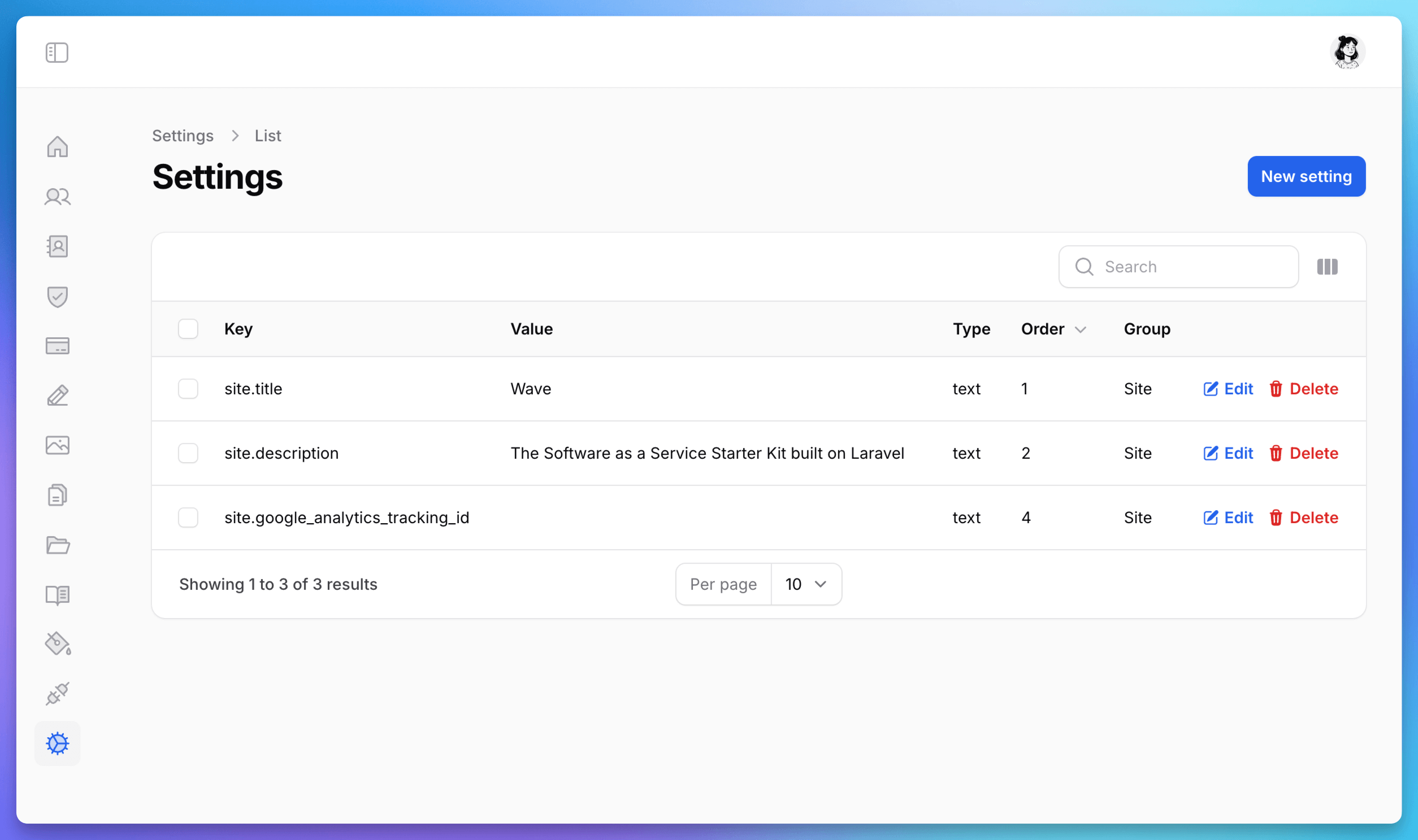
From here, you can add any type of key/value setting and then use it in your application, like so:
echo setting('site.title');
You'll see that these settings, inside the head partial, are being used as a fallback SEO title and description.
resources/themes/{theme}/partials/head.blade.php
@if(isset($seo->title))
    <title>{{ $seo->title }}</title>
@else
    <title>{{ setting('site.title', 'Laravel Wave') . ' - ' . setting('site.description', 'The Software as a Service Starter Kit built with Laravel') }}</title>
@endif
You'll also see that inside of the footer_scripts partial of each theme, a setting is being used to display google anayltics if the key has been entered:
resources/views/themes/{theme}/partials/footer_scripts.blade.php
@if(setting('site.google_analytics_tracking_id', ''))
    <!-- Global site tag (gtag.js) - Google Analytics -->
    <script async src="https://www.googletagmanager.com/gtag/js?id={{ setting('site.google_analytics_tracking_id') }}"></script>
    <script>
        window.dataLayer = window.dataLayer || [];
        function gtag(){dataLayer.push(arguments);}
        gtag('js', new Date());

        gtag('config', '{{ setting("site.google_analytics_tracking_id") }}');
    </script>
@endif
So, if you update the site.google_analytics_tracking_id with your Google analytics id, then analytics will automatically start tracking on your website.
You can use these key/value settings however you see fit in your theme. If you start using them often, it might be helpful to prefix them in a group, you'll see that all of the current settings are prefixed with site. because all these settings are specific to the site itself.
blade()
We've also created a blade() helper that will take any blade code and convert it to HTML, as an example:
@php $name = 'Tony'; @endphp
<p>Hello, my name is {{ $tony }}</p>
Passing a string like this above to the blade() method, will output the following:
<p>Hello, my name is Tony</p>
getMorphAlias($class)
This global method will take in any class and return the Morph alias for that specific class. Example, passing it \App\Models\User::class, will return user.
has_monthly_yearly_toggle()
This method will return true or false if the pricing template should show the monthly/yearly toggle. Sometimes a user may only have monthly pricing plans or only yearly pricing plans. In that case we don't want to show the toggle switch.
get_default_billing_cycle()
This will return the default billing cycle, by default it will return Monthly, but if the user only has yearly plans, it will return Yearly. This will help you determine which pricing plans to show by default.
As we add more global helper methods to Wave, we'll be sure to document them here as well. If you have an idea for some global helper methods, you would like to see, please submit a PR.