
Whenever, we are working with React, Angular, Nodejs or any other library or framework, a node_modules folder gets generated when we install the dependencies which takes up a lot of space and we don’t bother to remove the node_modules folder once our job is done.
So we end up creating many node_modules folders in various project folders which takes up a lot of hard-disk space on our filesystem.
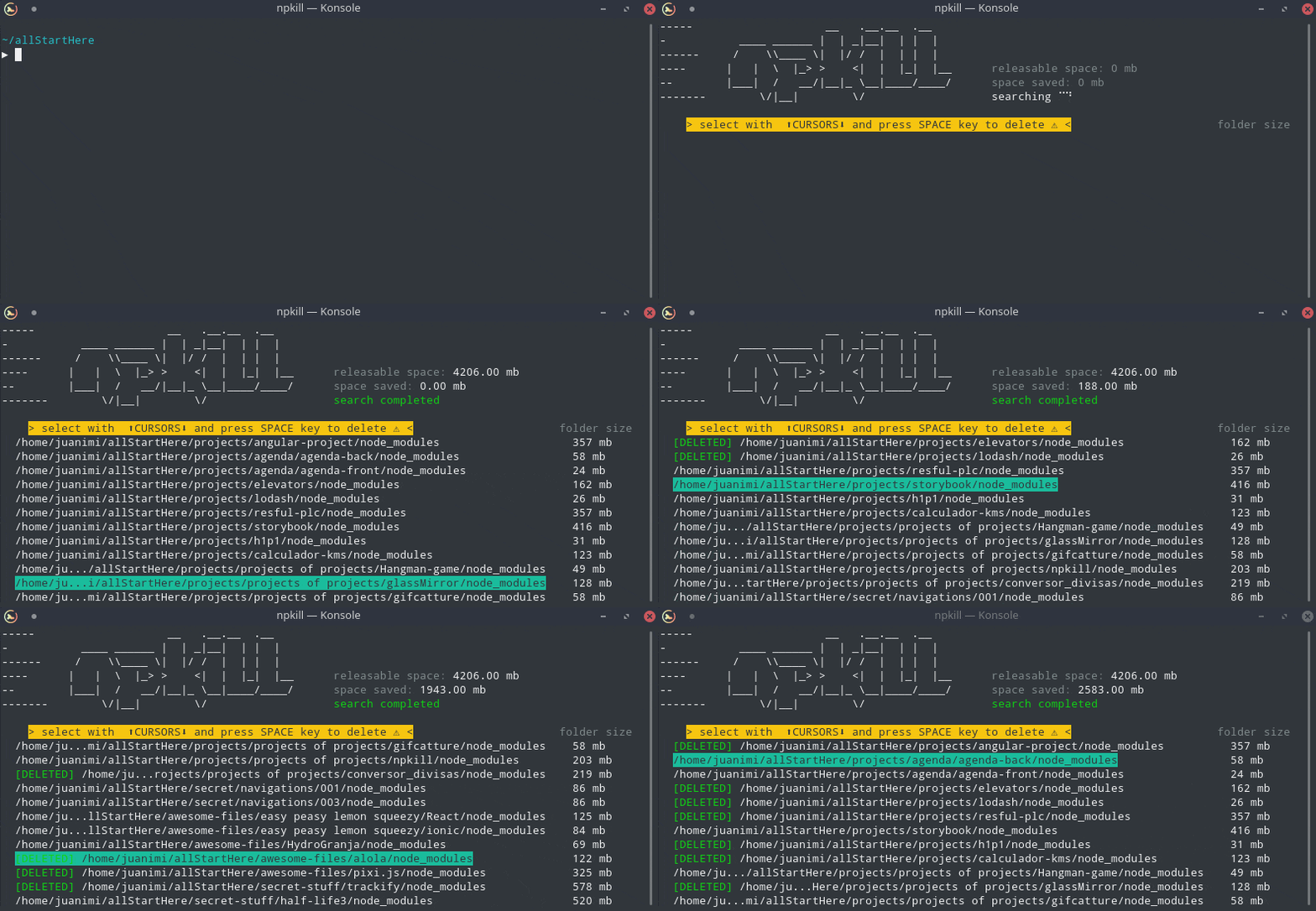
Today we will see a very helpful command which scans our file system and easily allows us to remove the node_modules folders in a single click within seconds.
As you can create node_modules folder anytime from just package.json, so you can remove all the un-necessary node_modules folder from your system.
Installation
You actually, don’t need to install the package to use it.
You just need to run it as
npx npkill
npx allows to run npm commands without installing the package.
You can however, install the npkill package if you really need to install it using
 View Website
 View Website
 View Website
npm install npkill -g
and now you can just run npkill command from the terminal from any directory to delete the node_modules folder.
Once the list is displayed, you can navigate using arrow keys and delete the specific node_modules folder by hitting spacebar.
To exit out of the list, press q key on your keyboard or Control + C
By default,
npkillwill list out thenode_modulesfolders from the current directory and its subdirectories.
So if you want to delete all the node_modules from your system, you need to execute the npkill command from your home or root directory.
Speed
You might think that it will take a lot of time to delete a single node_modules folder using npkill, but that’s not true. Actually, it's very fast. within a second the folder will be deleted. So Just give it a try
That’s it for today. Now keep deleting node_modules happily.
Thanks for reading!
Check out my recently published Mastering Redux course.
In this course, you will learn:
- Basic and advanced Redux
- How to manage the complex state of array and objects
- How to use multiple reducers to manage complex redux state
- How to debug Redux application
- How to use Redux in React using react-redux library to make your app reactive.
- How to use redux-thunk library to handle async API calls and much more
and then finally we'll build a complete food ordering app from scratch with stripe integration for accepting payments and deploy it to the production.


Want to stay up to date with regular content regarding JavaScript, React, Node.js? Follow me on LinkedIn.
Comments (0)