

Room database with update the Live data using ViewModel. In this ViewModel example we are creating the ViewModel object by passing arguments.
To pass arguments to ViewModel constructor we will use ViewModelFactory pattern. Handle the Live data update using LiveData Jetpack component.
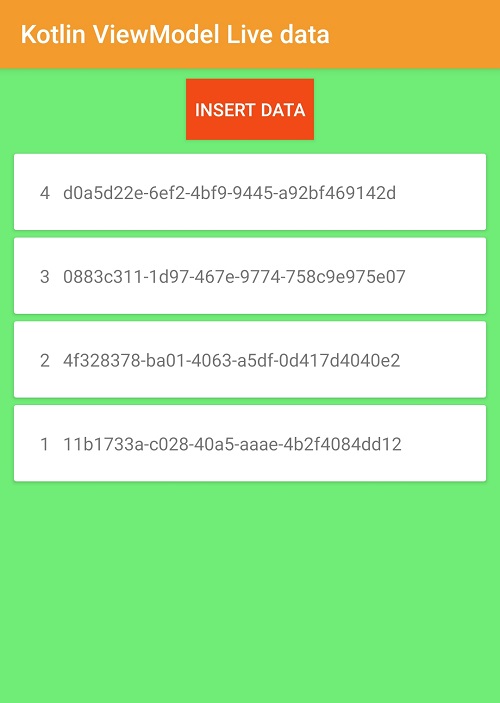
In this example we will store Employee data in the Room Database and fetch all employees data from database and display them on the RecyclerView using viewmodel. To update the live data we use LiveData component
Step 1: Create Android application in Android studio
Step 2: Add required dependencies in build.gradle file
def lifecycle_version = "2.3.1"
    //implementation "androidx.lifecycle:lifecycle-extensions:$lifecycle_version"

    // ViewModel
    implementation "androidx.lifecycle:lifecycle-viewmodel-ktx:$lifecycle_version"
    // ViewModel utilities for Compose
    // LiveData
    implementation "androidx.lifecycle:lifecycle-livedata-ktx:$lifecycle_version"


    // Room support
    def room_version = "2.3.0"
    implementation "androidx.room:room-runtime:$room_version"
    kapt "androidx.room:room-compiler:$room_version"

    // Anko Commons
    implementation "org.jetbrains.anko:anko-commons:0.10.5"

    // RecyclerView
    implementation 'androidx.recyclerview:recyclerview:1.2.1'
We added dependencies for Room Database, LiveData, ViewModel and RecyclerView
To work with Room database we have to create Entity, DAO and Database classes. Here we are create Singleton for the room database
Create Room Database instance
Here we are creating the singleton instance for Room Database using kotlin companion object.
 View Website
 View Website
 View Website
companion object{
        private var INSTANCE: RoomSingleton? = null
        fun getInstance(context:Context): RoomSingleton{
            if (INSTANCE == null){
                INSTANCE = Room.databaseBuilder(
                    context,
                    RoomSingleton::class.java,
                    "roomdb")
                    .build()
            }

            return INSTANCE as RoomSingleton
        }
    }
Download complete code for Android Room Database with kotlin code
Comments (0)