
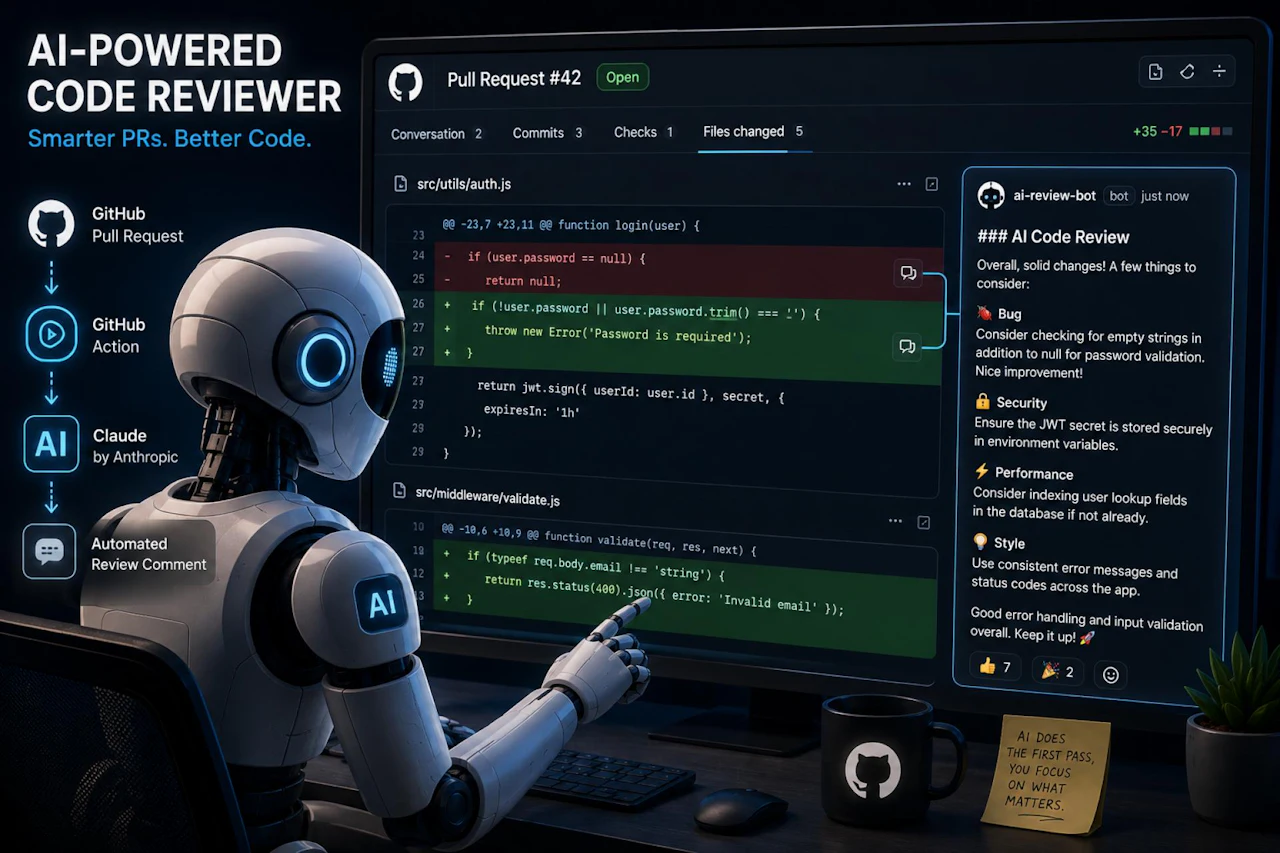
Code reviews are one of the most valuable parts of any development workflow. They catch bugs, enforce standards, and spread knowledge across the team. But they also take time, and the bigger your team grows, the harder it gets to keep up with every pull request.
What if you could have an AI do the first pass for you?
In this post, we are going to build a GitHub Action that automatically reviews your pull requests using the Anthropic API. Every time a PR is opened, the bot will read the changed files, send them to Claude, and post a review comment directly on the PR. No third-party services, no subscriptions, just a script and an API key.
What You'll Need
Before we start, make sure you have the following:
- A GitHub repository
- An Anthropic API key (grab one at console.anthropic.com)
- Basic familiarity with GitHub Actions
Setting Up the GitHub Action
First, store your Anthropic API key as a GitHub secret. Go to your repo, click Settings, then Secrets and variables, then Actions, and add a new secret called ANTHROPIC_API_KEY.
Next, create the workflow file in your repo:
Paste in this workflow:
name: AI Code Review

on:
  pull_request:
    types: [opened, synchronize]

jobs:
  review:
    runs-on: ubuntu-latest
    steps:
      - uses: actions/checkout@v3
        with:
          fetch-depth: 0

      - name: Set up Node.js
        uses: actions/setup-node@v3
        with:
          node-version: '18'

      - name: Install dependencies
        run: npm install @anthropic-ai/sdk node-fetch

      - name: Run AI Review
        env:
          ANTHROPIC_API_KEY: ${{ secrets.ANTHROPIC_API_KEY }}
          GITHUB_TOKEN: ${{ secrets.GITHUB_TOKEN }}
          PR_NUMBER: ${{ github.event.pull_request.number }}
          REPO: ${{ github.repository }}
        run: node review.js
Writing the Review Script
Now create a file called review.js in the root of your repo. This script will fetch the PR diff, send it to Claude, and post the response as a comment.
const Anthropic = require('@anthropic-ai/sdk');

const client = new Anthropic({ apiKey: process.env.ANTHROPIC_API_KEY });
const token = process.env.GITHUB_TOKEN;
const repo = process.env.REPO;
const prNumber = process.env.PR_NUMBER;

async function getDiff() {
  const res = await fetch(
    `https://api.github.com/repos/${repo}/pulls/${prNumber}/files`,
    { headers: { Authorization: `Bearer ${token}`, Accept: 'application/vnd.github+json' } }
  );
  const files = await res.json();
  return files.map(f => `File: ${f.filename}\n\`\`\`\n${f.patch}\n\`\`\``).join('\n\n');
}

async function reviewCode(diff) {
  const message = await client.messages.create({
    model: 'claude-sonnet-4-20250514',
    max_tokens: 1024,
    messages: [
      {
        role: 'user',
        content: `You are a senior software engineer doing a code review. Review the following pull request diff and provide clear, constructive feedback. Point out bugs, security issues, performance concerns, and style improvements. Be concise.\n\n${diff}`
      }
    ]
  });
  return message.content[0].text;
}

async function postComment(body) {
  await fetch(
    `https://api.github.com/repos/${repo}/issues/${prNumber}/comments`,
    {
      method: 'POST',
      headers: {
        Authorization: `Bearer ${token}`,
        Accept: 'application/vnd.github+json',
        'Content-Type': 'application/json'
      },
      body: JSON.stringify({ body: `### AI Code Review\n\n${body}` })
    }
  );
}

async function main() {
  const diff = await getDiff();
  if (!diff) { console.log('No changes found.'); return; }
  const review = await reviewCode(diff);
  await postComment(review);
  console.log('Review posted.');
}

main();
How It Works
When a pull request is opened or updated, the workflow triggers. The script calls the GitHub API to fetch every changed file and its diff. It bundles all of that into a single prompt and sends it to Claude. Claude responds with a structured review, and the script posts that review as a comment on the PR.
 View Website
 View Website
 View Website
The whole thing runs in under a minute for most PRs.
Improving the Prompt
The quality of your review depends heavily on the prompt. The one above is a solid starting point, but you can tailor it to your project. For example:
content: `You are a senior engineer reviewing a fintech application. Focus on data validation, error handling, and any logic that touches financial calculations. Flag anything that could produce incorrect results or expose sensitive data.\n\n${diff}`
Giving the model context about your codebase makes the feedback significantly more relevant.
Things to Keep in Mind
Large PRs with many changed files can hit token limits. A simple fix is to slice the files array and only review the most impactful changes, or run the review per file instead of all at once.
You should also think about costs. Each review call uses API tokens, so for busy repos with lots of PRs, it adds up. You can add a label check to only trigger the review on PRs that are ready for review rather than drafts.
Wrapping Up
This is a lightweight but genuinely useful automation. It does not replace a real human review, but it handles the tedious first pass and catches the obvious stuff before your teammates even open the PR. Your reviewers can then focus on architecture, logic, and the things that actually need a human eye.
The full setup takes about fifteen minutes to get running, and once it is in place you will wonder how you managed without it.
Comments (0)