

If you are using Conventional Commits (and if you don't, you should 😜) it is very useful to have something that tells you if you are committing the right way. This topic will be focused on JavaScript projects.
As you know, conventional commits are composed this way:
type(scope?): subject
body?
footer?
It's easy to do a commmit message that don't represent this standard so linting comes in our help!
We are going to use two packages: commitlint and husky
commitlint
This package checks if the commit messages are in the form showed above, or at least in a form type: subject. It's easily configurable through file so its configuration is shareable.
module.exports = {
  extend: {
    ['@commitlint/config-conventional']
  }
}
With the package installed and configured we are telling the code that we would like our commits to be "conventional". But we need to ask commitlint to lint our messages. Can we do this automatically everytime we make a new commit?
husky
Husky is a package that interact with the hooks exposed by git to trigger some custom actions: linters, error checking, scripts running, etc...
In this case we would like to trigger a commitlint check everytime we do a commit wothout the needing of launch the lint manually.
Fortunately the community comes in our help and we need to launch only two commands
yarn husky install

npx husky add .husky/commit-msg 'npx --no-install commitlint --edit $1'
At the end this setup will make sure that everytime we commit, the linter gets called and all checks are made.
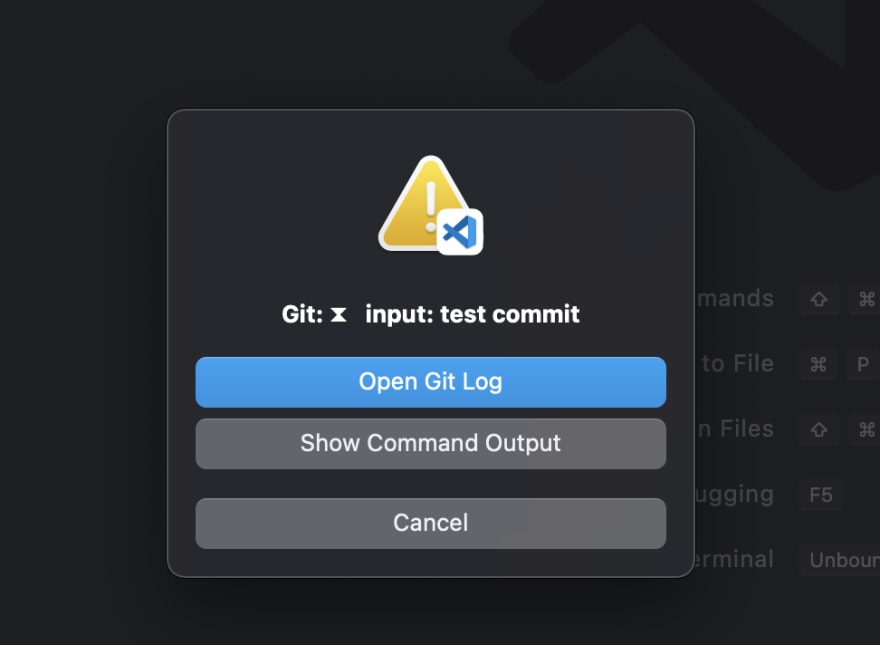
And if we commit without following the rules, this happens (VSCode example)
 View Website
 View Website
 View Website
⧗   input: test commit
✖   subject may not be empty [subject-empty]
✖   type may not be empty [type-empty]

✖   found 2 problems, 0 warnings
Comments (0)