AI Powered Website Builder
The website builder that speaks your language
Other AI builders leave you a tangle of JSX to untangle. Ours writes clean Blade templates — simple markup that's a pleasure to edit.
Free to start — no card, no setup.
The builder
Visual when you want it, code when you need it
We've built the simplest and most intuitive website builder. Prompt AI, edit a section, or go dev-mode and edit the code directly.
- Visual editing
- Click any section and edit it in place — headings, images, links, colors. No code required.
- A real code editor
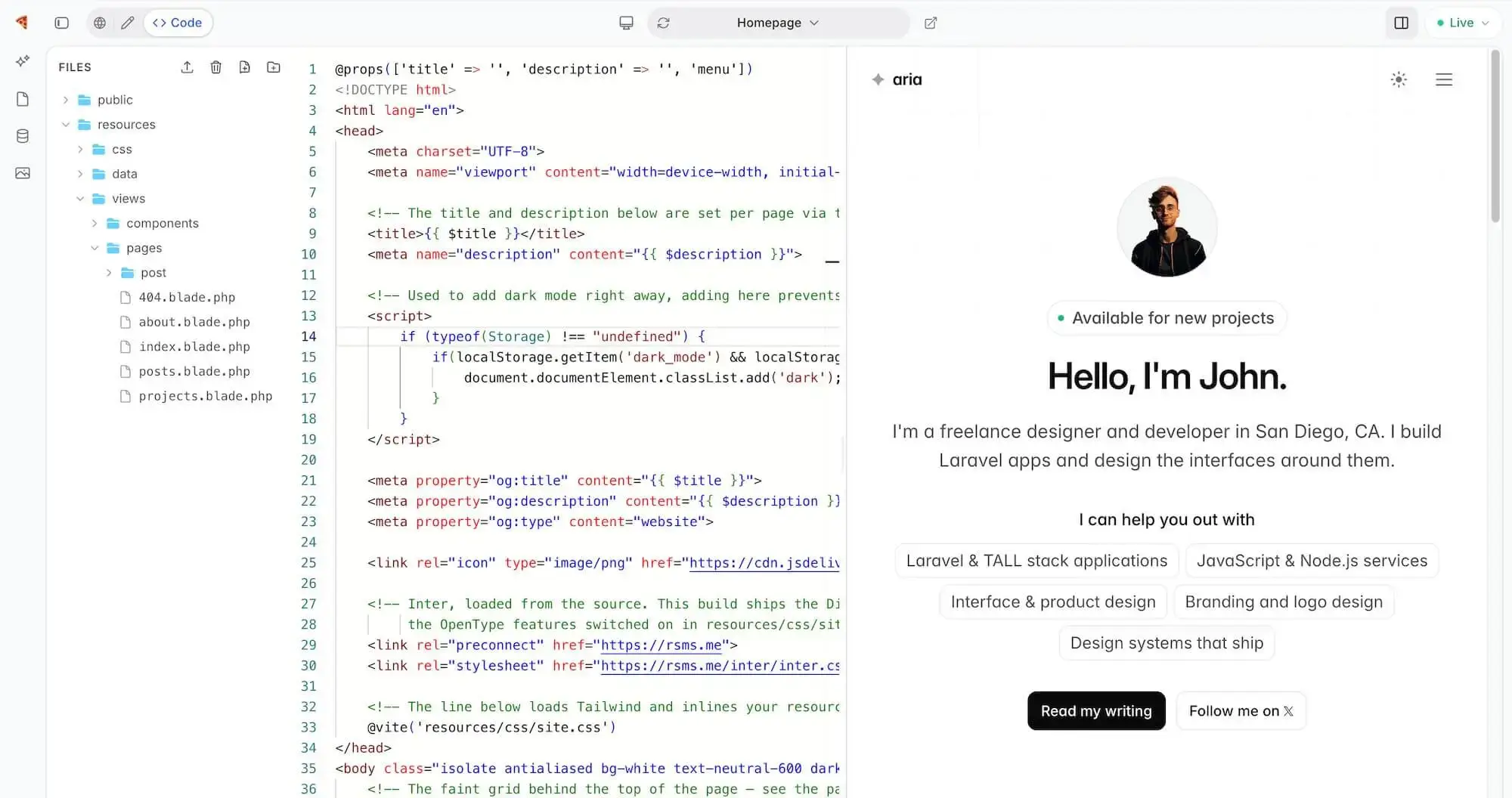
- Flip to code mode for a full editor over your site's actual files, with your changes previewed live.
- AI that builds pages
- Describe a page, a section, or a change. Watch it appear in the preview — then refine it in plain English.
- A huge section library
- Hundreds of hand-crafted sections — heroes, pricing, galleries — ready to drop into any page.
- Publish in one click
- Your site goes live at yoursite.devdojo.site the moment you hit publish — or connect your own domain.
- Export everything
- Download your whole site as clean static files whenever you like. No lock-in, ever.
Templates
Skip the blank page entirely
Get a jumpstart on your next project with our beautifully hand-crafted templates for any use-case.


Under the hood
How templates work
Each section of a page has a small YML file that describes the content. This makes it easy for anyone to edit copy, images, and more.
01You edit this
Click a section in the editor and this form appears.
Really — type in a field and watch the other three panes.
sections/hero.yml
02Describes it
sections/hero.blade.php
03Renders it
yoursite.devdojo.site
04Ships it
- @props are the contract
- Every prop in the visual editor is a real Blade prop with a sensible default. Add a new field, pass it as prop, and allow it to be edited by anyone.
- YML is the label maker
- The companion .yml gives each prop a human label, a type — text, image, color, link — and its default. Add a field and it appears in the form.
- Plain text, all the way down
- No proprietary block format, no databases full of JSON blobs. Export your site and you're holding Blade and Tailwind you can read, edit, and run anywhere.
The engine
Rendered by Pocketknife
Every preview and every publish renders through Pocketknife — our portable Blade engine, written in Go and shipped as one dependency-free binary. This also makes it possible to use any website directly inside of your Laravel app.
Start building today
Simply enter a prompt, or start from a template
Describe what you want and watch it come to life, or choose one of our pre-built templates as a starting point for your next project.
Describe it
Type a sentence. The AI writes the pages, fills the sections, and hands you a live site to make your own.
Pick a template
Every template is a finished site, not a mockup — open one live, swap in your words, and publish.
Browse all templatesYour next site is one prompt away.
Describe it, shape it, publish it — all before your coffee goes cold.