Features
One editor, plain Blade underneath
Edit on the page, keep lists in collections, and ship sections as files in your own repository. Here is how the pieces fit.
Three places to work, one set of files
Editors stay on the canvas, content lives in tables, and developers stay in their editor. Every change lands in the same repository.
The canvas
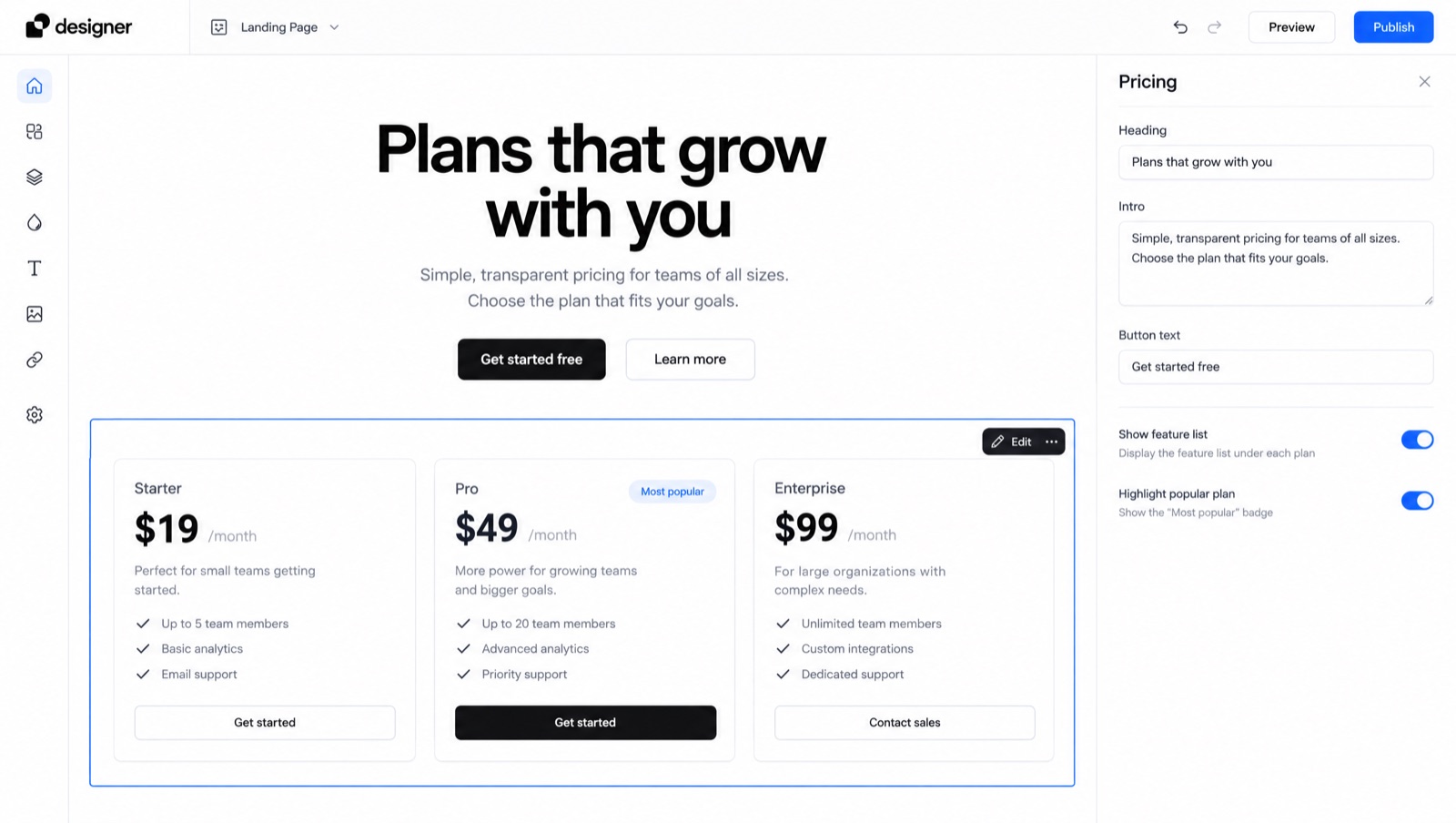
Edit the page you are looking at
Pick a section on the real page and its fields open beside it. Every keystroke renders on the server, so what you see is exactly what will publish.
- Text, links and images change in place
- Reorder, hide or duplicate any section
- Phone, tablet and desktop widths in one click
Content
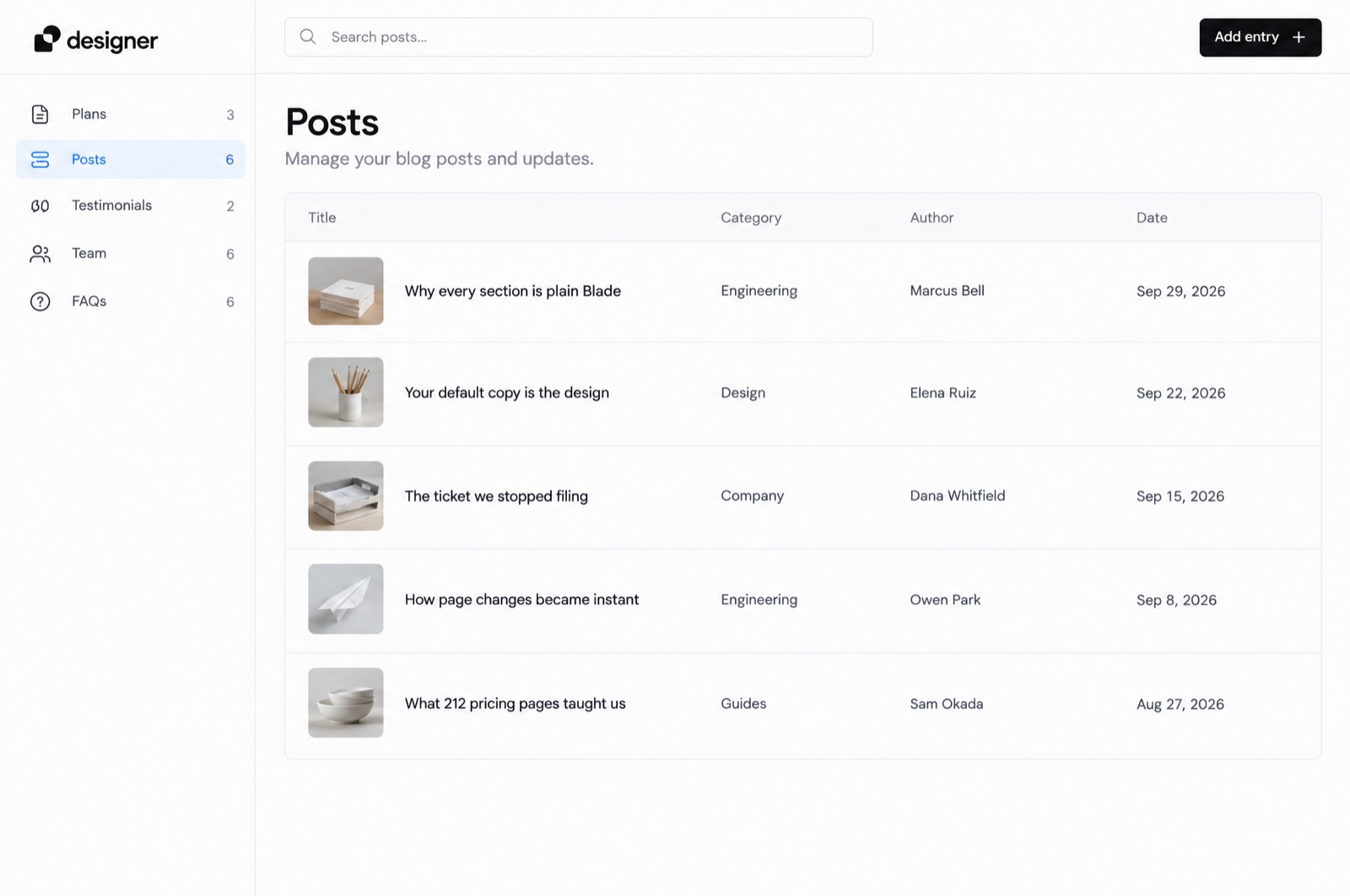
Lists live in one table
Plans, posts, testimonials and team members are collections. Edit a row once and every section that shows it follows, on every page.
- A table per collection, sortable and searchable
- Drag rows into the order the site uses
- Bound lists show a card on the canvas
Code
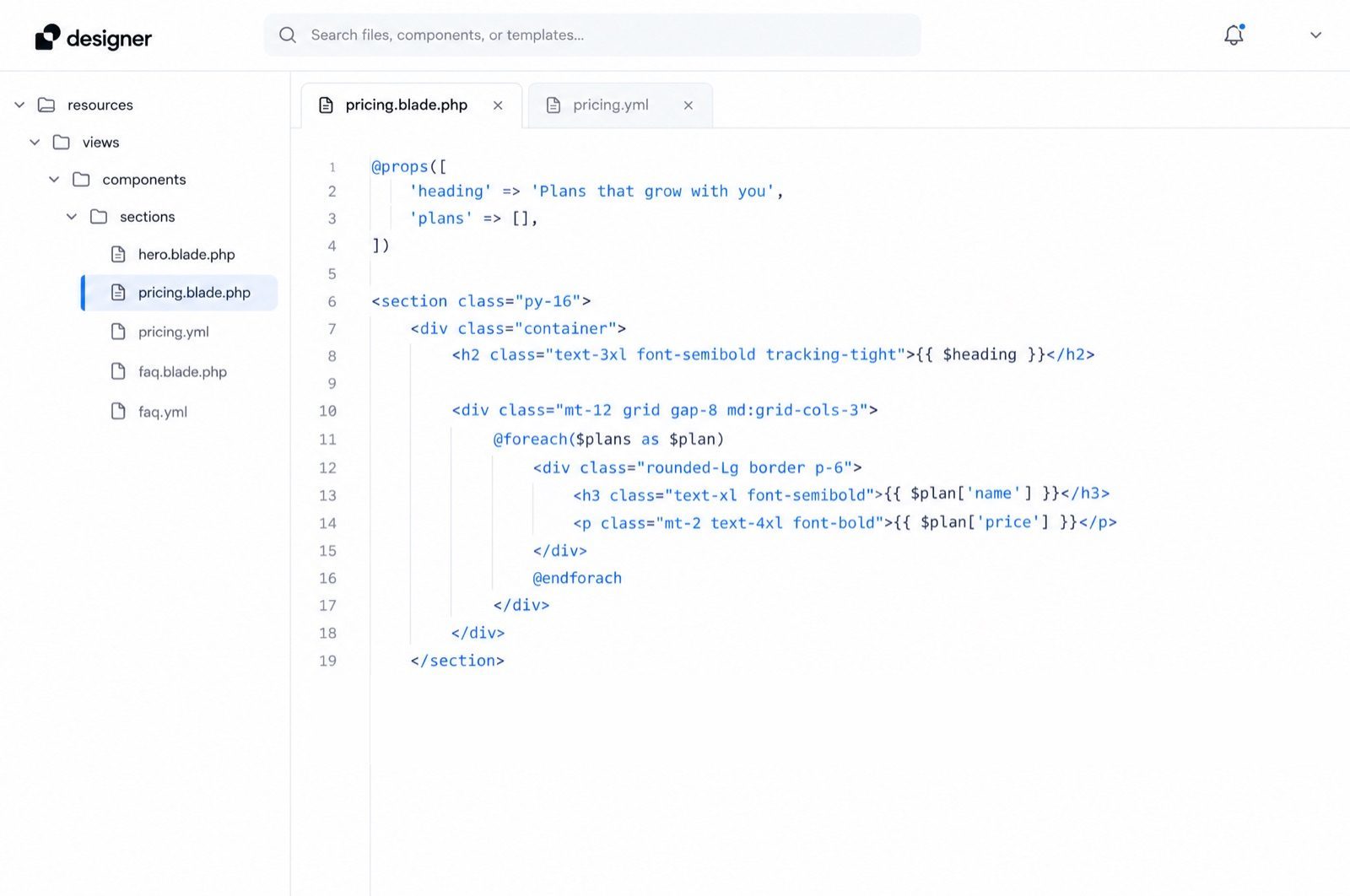
Plain Blade, in your repository
Every section is an anonymous Blade component with a small YAML file beside it. Open it in your editor, review it in a pull request, deploy it like anything else.
- No database and no lock-in
- A new YAML file adds a section to the picker
- Remove the editor and the site keeps serving
How it works
From install to published in an afternoon
Starter adds a folder and a service provider to a Laravel app you already have. Nothing else in the app changes.
-
1
Install the package
One Composer command in your Laravel app. It adds a service provider and a folder for the site, and nothing else.
-
2
Pick a template
Start from Starter, Blank or one of the landing templates. Every page and section is copied into your app as files.
-
3
Hand over the words
Invite your editors. They change copy and images on the canvas while you keep shipping sections in code.
-
4
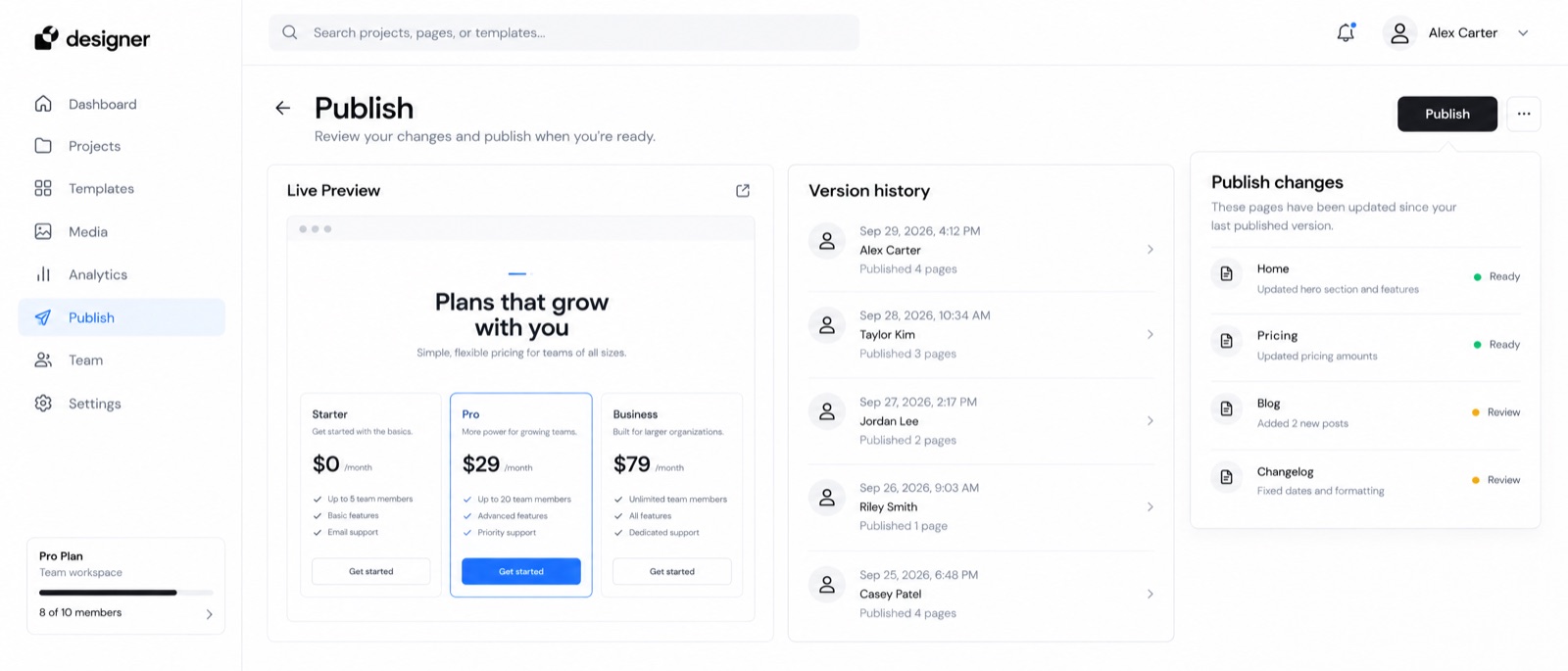
Publish
Drafts stay drafts until someone presses Publish. Then the files are written and the change is live, with the diff in your next commit.
For developers
What developers ask first
Six answers we send most often, before anyone installs anything.
- Which Laravel versions does it support?
- Laravel 11, 12 and 13 on PHP 8.2 or newer. Starter installs as a Composer package and adds one service provider to your app.
- Can I use my own components?
- Yes. Any Blade component with a YAML file beside it becomes a section in the picker, with the fields the YAML names.
- Does it need a database?
- No. Pages, layouts and collections are files in your repository, so they deploy, diff and roll back like the rest of your code.
- What does an editor see?
- The real page, with each section outlined on hover. They click a heading or an image to change it, and press Publish when they are done.
- How do drafts and publishing work?
- Edits are saved as a draft as you type. Publish writes the files in one go, so a half-finished page never reaches visitors.
- Can I remove it later?
- Yes. The site is served by a small runtime that lives in your app, so it keeps working after the editor package is removed.
01
02
03
04
05
06
Free for one site
Put your editors on the page
Install Starter in your app, pick a template, and hand over the words this afternoon. Your sections stay in your repository.
On every plan
- Every section in the library, with its fields
- Collections and in-place editing
- Drafts, publishing and version history
- Your code in your repository, no lock-in